
Requests ManagementWorking with requests
Use statuses to see what’s new, in progress, quoted or archived.
Quest Team3 min readUpdated 23 Jul 2026
Use Requests to see every inquiry and filter by status so nothing gets lost.
- 1
Open Requests
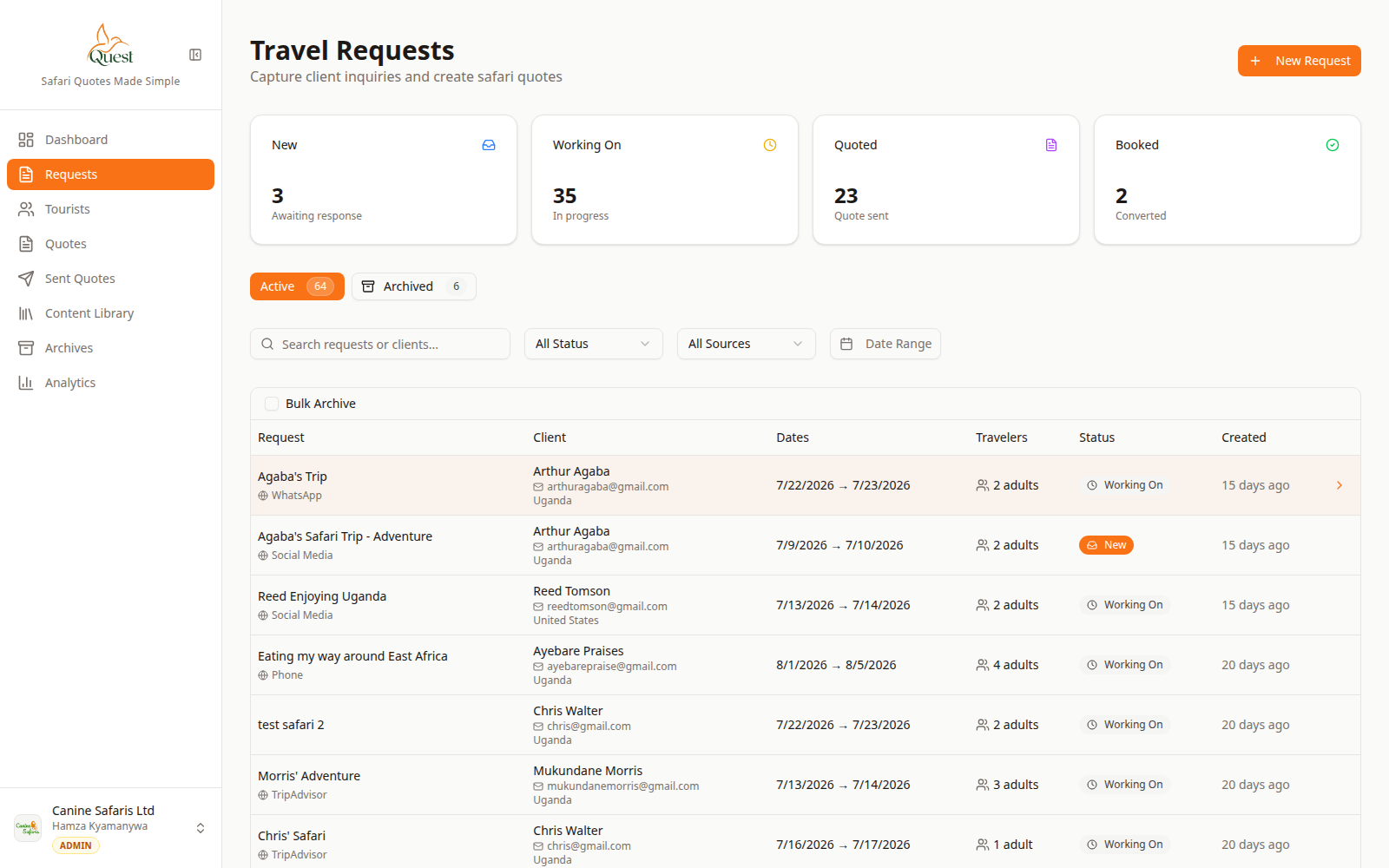
Requests
All client inquiries.
What the numbers mean
- 1
Requests nav
Open the requests module.
- 2
Requests table
Each row is one inquiry. Click to open.
- 3
+ New Request
Create another inquiry.
Sidebar → Requests. You see a table of inquiries with status.
- 1
- 2
Filter and update status
Requests
Find the right inquiry quickly.
What the numbers mean
- 1
Search / filters
Narrow by text or status.
- 2
Filtered results
Matching requests only.
Use search and status filters at the top of the list.
Open a request to change status (for example Working On) as your team progresses.
- 1
Was this helpful?